Your project team
Owns professional judgment, validation, communication, and every contractual or project decision.
Upload your schedules, budgets, RFIs, submittals, change orders, and daily reports. In Project AI connects the cost exposure, schedule pressure, missing decisions, and next actions your team needs to review.
No card required. Review the results before you upgrade.
Real project run · sanitized Cedar Ridge records
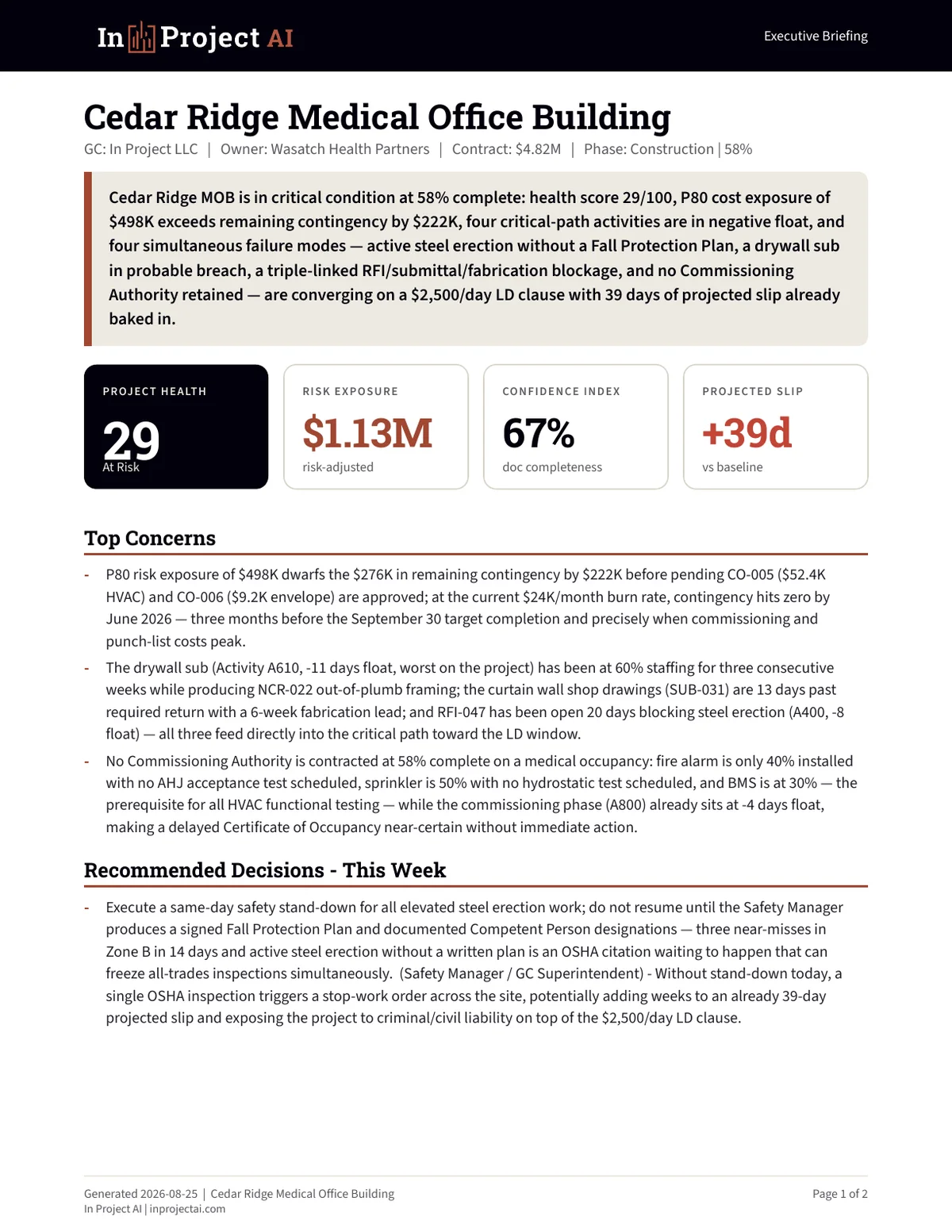 Executive briefing from a real project runHealth 29 · $1.13M exposure · +39 days13 source files · 5 core agents · 11 applicable control modules
How In Project AI works
Schedules, budgets, RFI & submittal logs, daily reports — whatever you have.
Risk, budget, schedule, documents and quality — analyzed and cross-synthesized.
KPIs, top critical items, an executive briefing, plus a full PDF and 12-sheet Excel.
Verified Cedar Ridge sample run
These pages and downloads came from a real end-to-end In Project AI run across 13 sanitized construction records. They are not recreated marketing mockups.
Executive BriefingHealth, exposure, and decisions
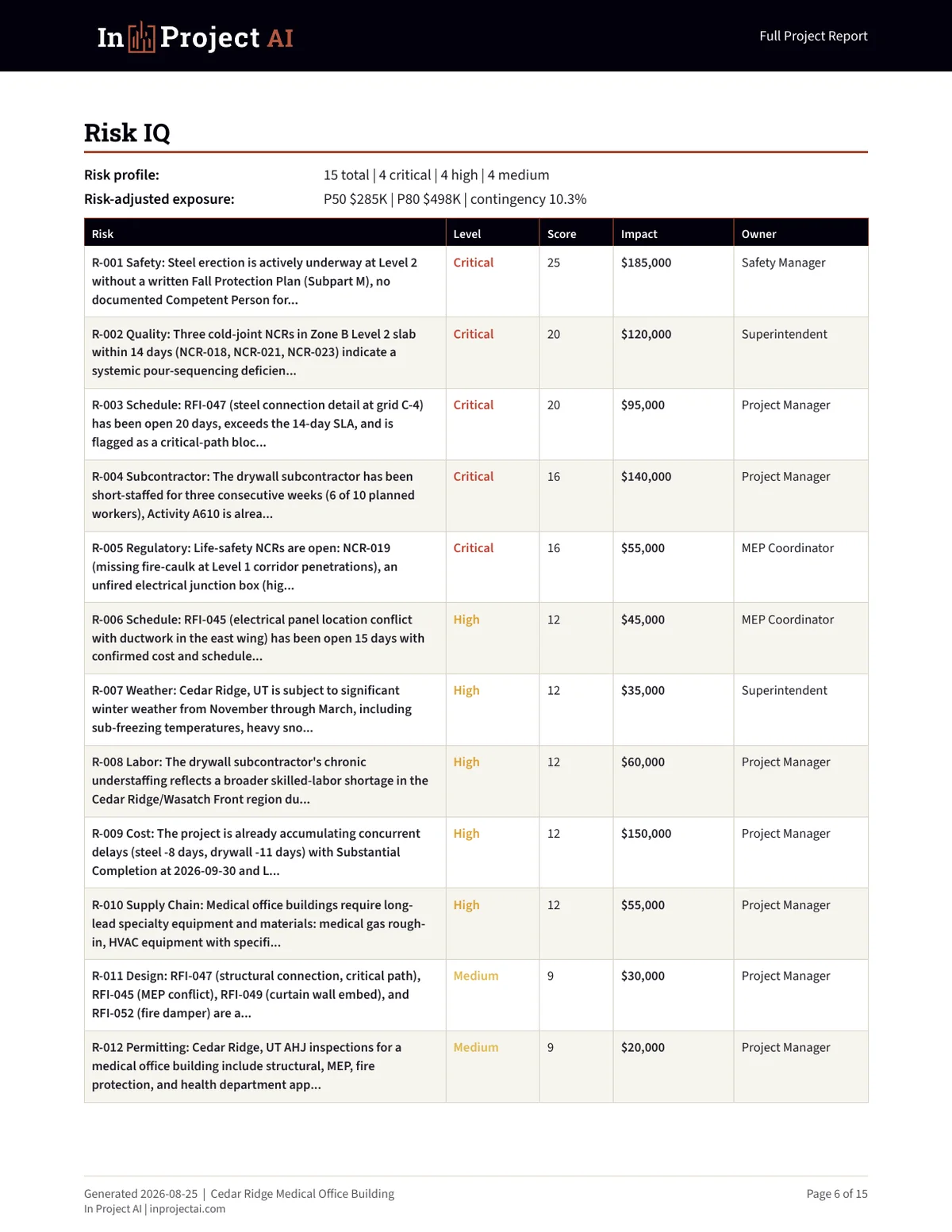 Risk IQPrioritized exposure and ownership
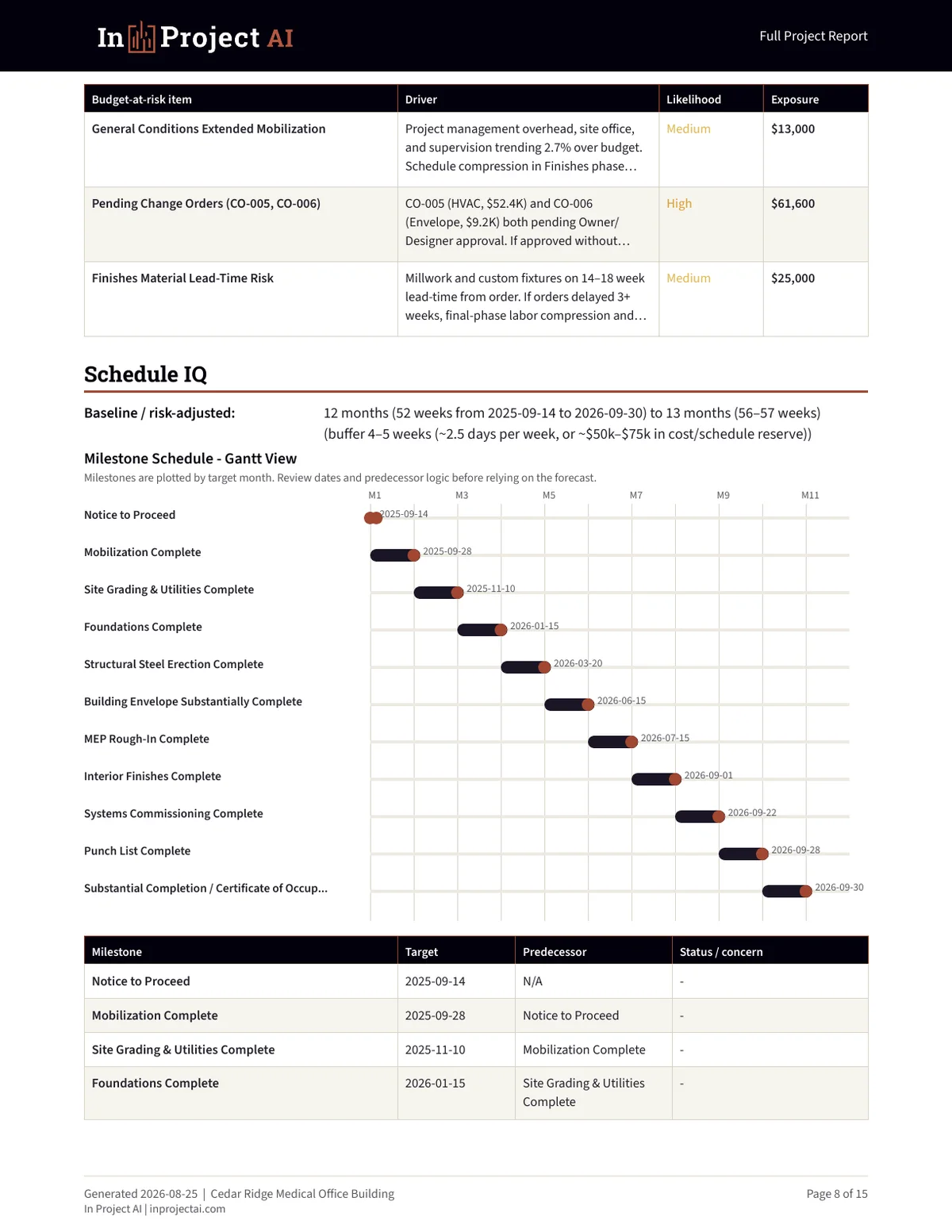 Schedule IQMilestones and predecessor logic
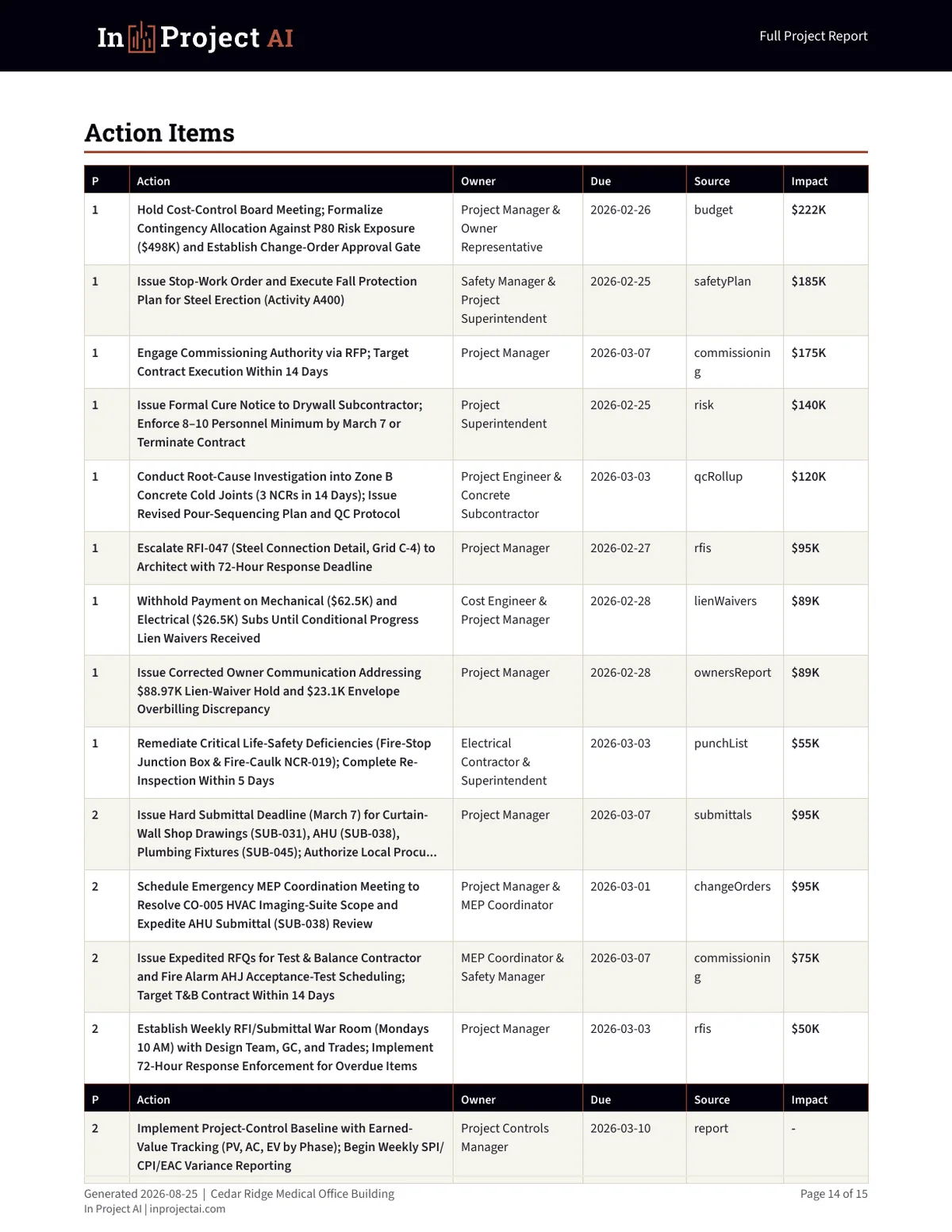 Action RegisterOwners, due dates, sources, and impact
One In Project AI, twelve capabilities
Each module is a full construction-PM deliverable on its own. In Project AI runs them together and connects the dots.
Scored 5×5 risk register with mitigation, owners, and triggers.
EVM metrics, forecast-at-completion, and contingency burn-down.
Critical-path slip, phase tracking, and downstream impact.
Submittals, RFIs and specs checked for conflicts and compliance.
Owner-ready weekly/daily narratives from raw field notes.
Overdue, in-review and long-lead submittals surfaced fast.
Open RFIs ranked by SLA breach and critical-path exposure.
CO value vs. contract, scope creep, and cost/schedule impact.
Punch items by trade with severity and close-out tracking.
Gaps, recurring patterns, and near-miss clusters by zone.
Pay-app lines and SOV checked against progress and retainage.
A clean executive briefing your owner actually reads.
How it fits
In Project AI supports the team and the systems already responsible for project delivery. It organizes exported evidence into connected findings and review-ready outputs.
Owns professional judgment, validation, communication, and every contractual or project decision.
Procore, Autodesk ACC, Buildertrend, schedules, and accounting tools continue to store and coordinate the work.
Analyzes exported documents across cost, schedule, risk, quality, and decisions, then produces connected reports and a workbook.
Plans & pricing
Best for solo PMs trying In Project AI
Best for one active project
Best for three active projects
Best for a 10-project portfolio
Trust path
See In Project AI work on a sample construction project before you commit.
Built for the field
In Project AI is built by construction project managers around the documents your teams already live in — schedules, budgets, RFI and submittal logs, change orders, and daily reports.
FAQ
Schedules, budgets and SOVs, RFI and submittal logs, change orders, daily/field reports, safety logs, pay applications, and most specs and contracts — as text or common document formats. The more you provide, the higher your confidence score.
Runtime varies with the number, size, and type of uploaded documents. The Command Center shows run progress while the modules analyze and synthesize the requested outputs.
Yes. Your documents are processed for your requested run and are not used to train public AI models. In Project AI keeps temporary upload buffers and plan-based run history so you can retrieve generated reports.
Yes. Manage or cancel from the Stripe billing portal on your account page — your plan stays active until the end of the current period. The Free plan never charges a card.
In Project AI is designed to need little setup, and Professional and Business plans include onboarding support. Enterprise consulting can add deeper implementation help when needed.
CSV, Excel, PDF, and exported project data are supported as the default workflow. Direct connectors such as MS Project, Primavera P6, Procore, Autodesk ACC, and Buildertrend are plan-dependent and may require implementation.
The individual agents each produce one deliverable (a report, a risk register, a budget forecast, etc.). In Project AI runs all of them together and cross-synthesizes the findings, catching issues no single agent sees on its own.
Yes — API access is included on Professional (1,000 calls/mo) and Business (no monthly call quota). Authentication, rate limits, document-size limits, and technical safeguards still apply.
SSO/SAML, custom integrations, white-labeling, and custom retention require an implementation and security review before they can be represented as available for a specific workspace. Talk to sales →
Run In Project AI on one project and review the outputs before you upgrade — no card required.
Analyze a Project FreeAsk In Project AIIn Project AI support